Private AI workspace for Mac
Own your AI. Keep your data. Switch models. Run agentic tools.
Interactive charts, maps, sortable tables, threaded conversations, Linux sandbox and more.
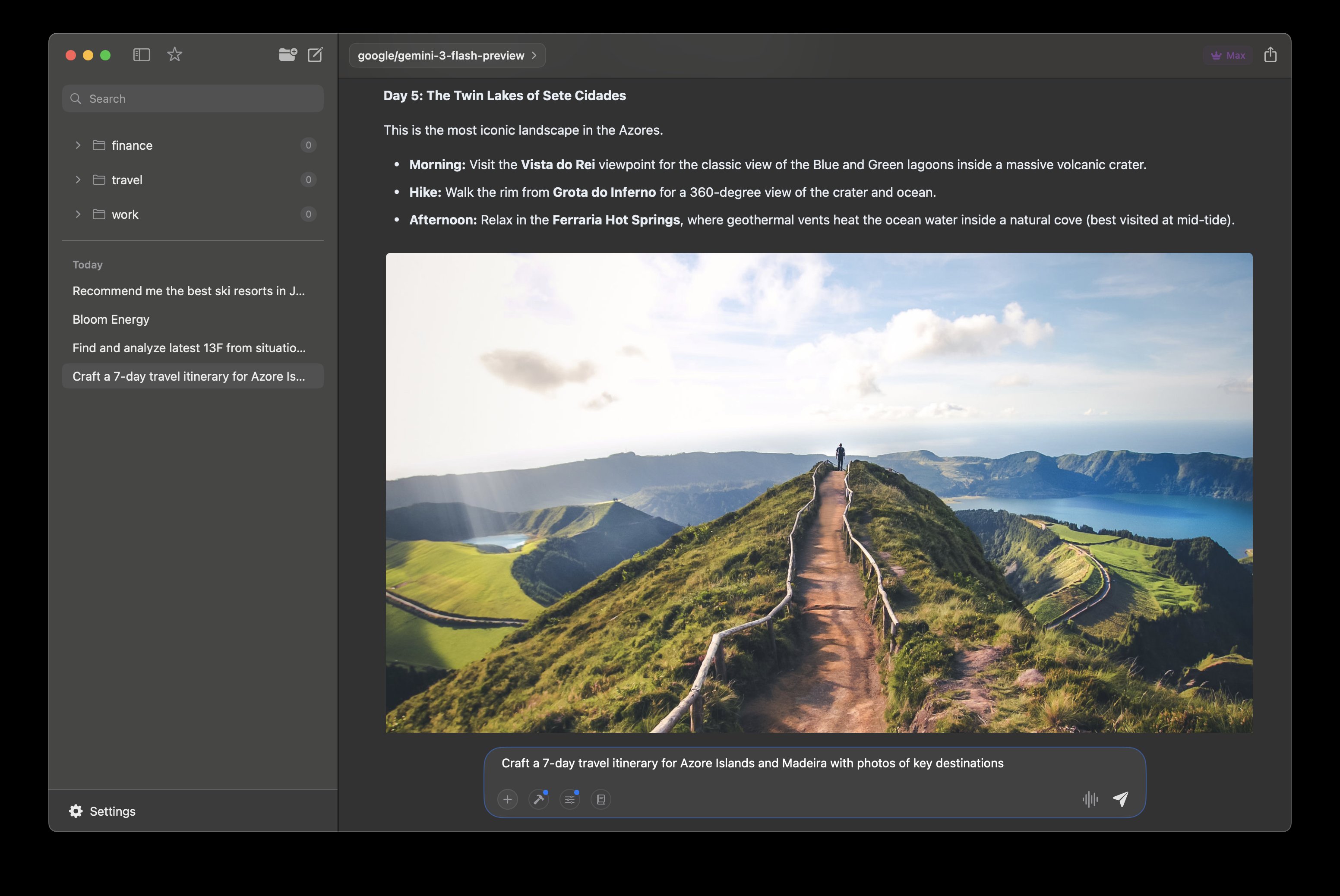
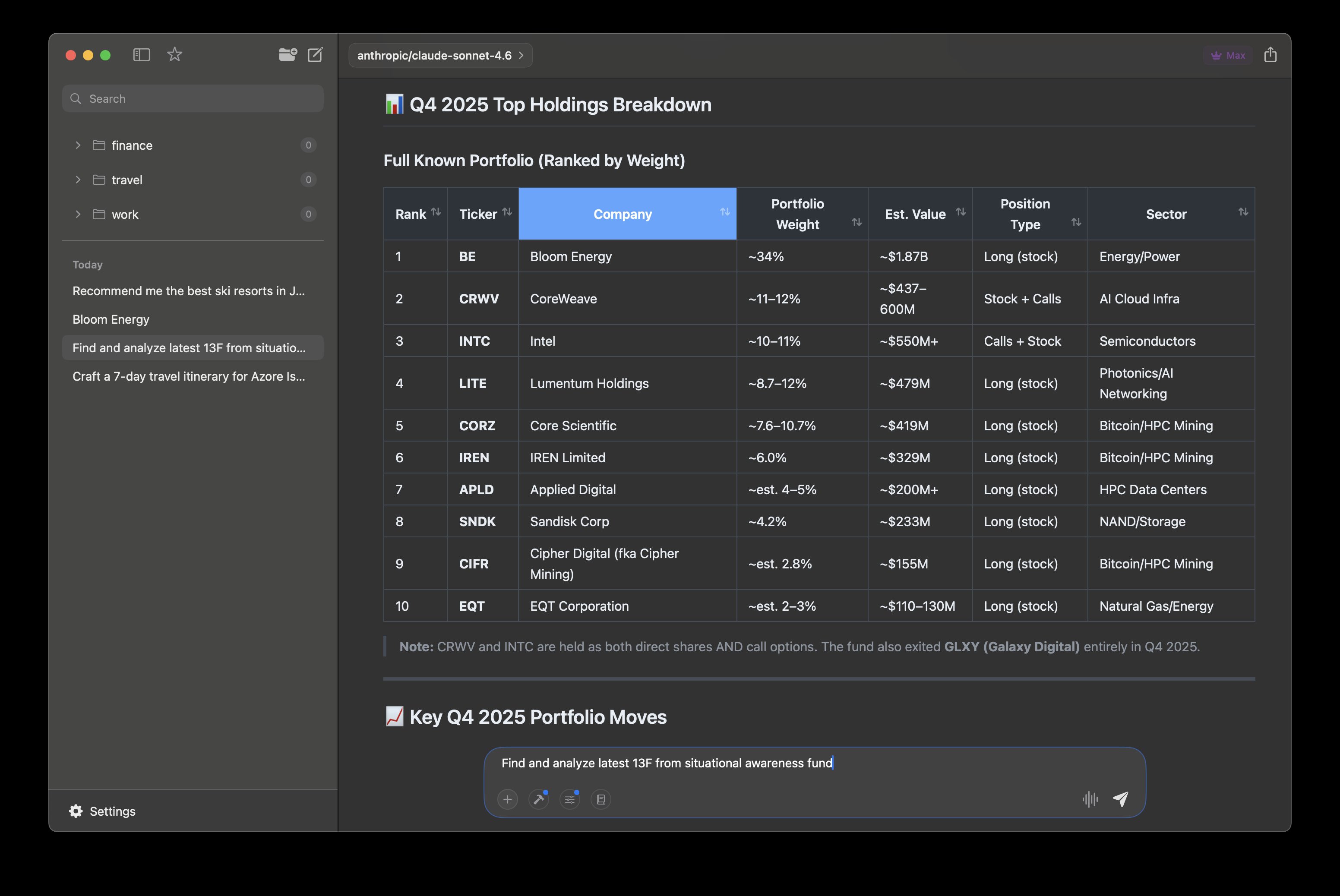
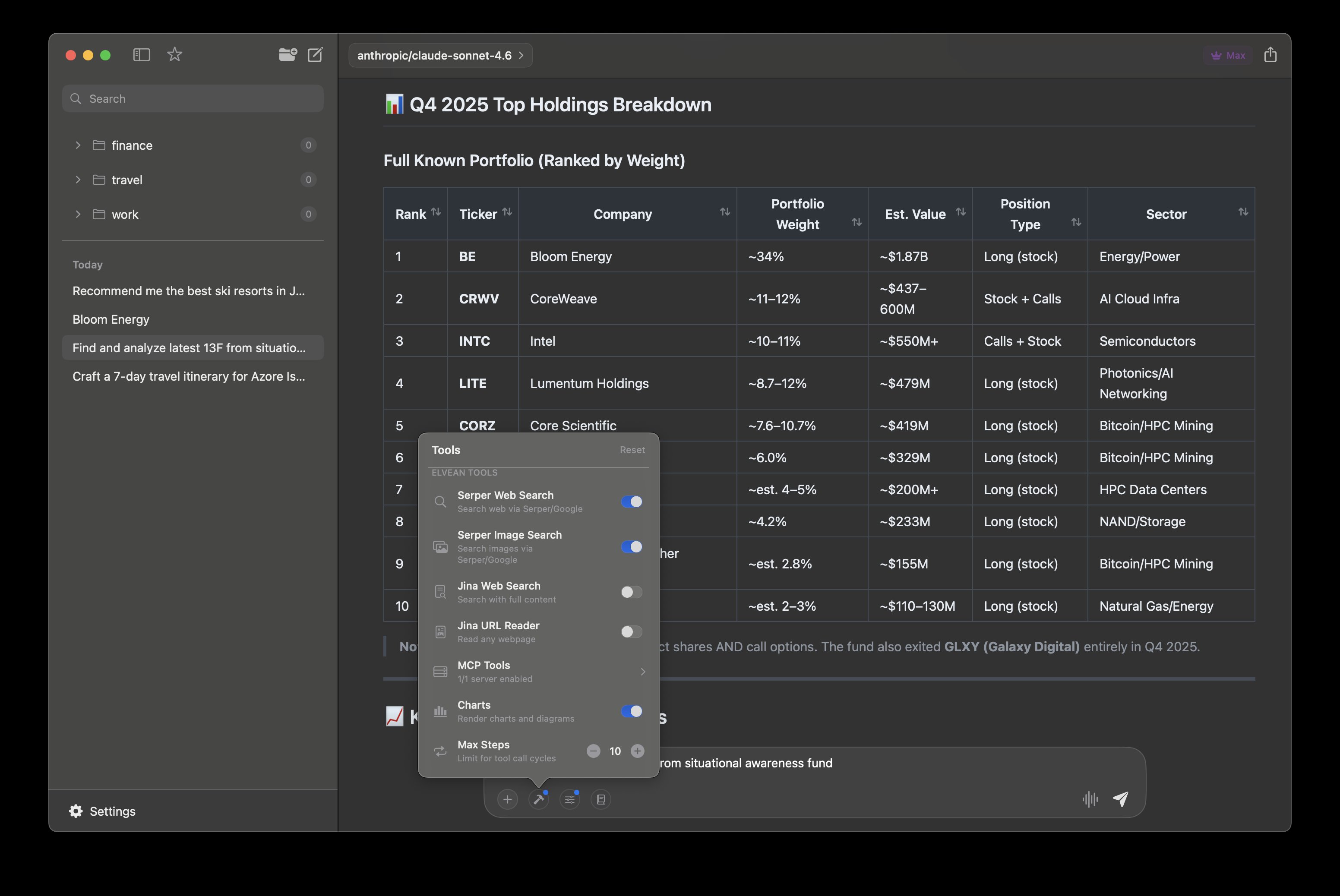
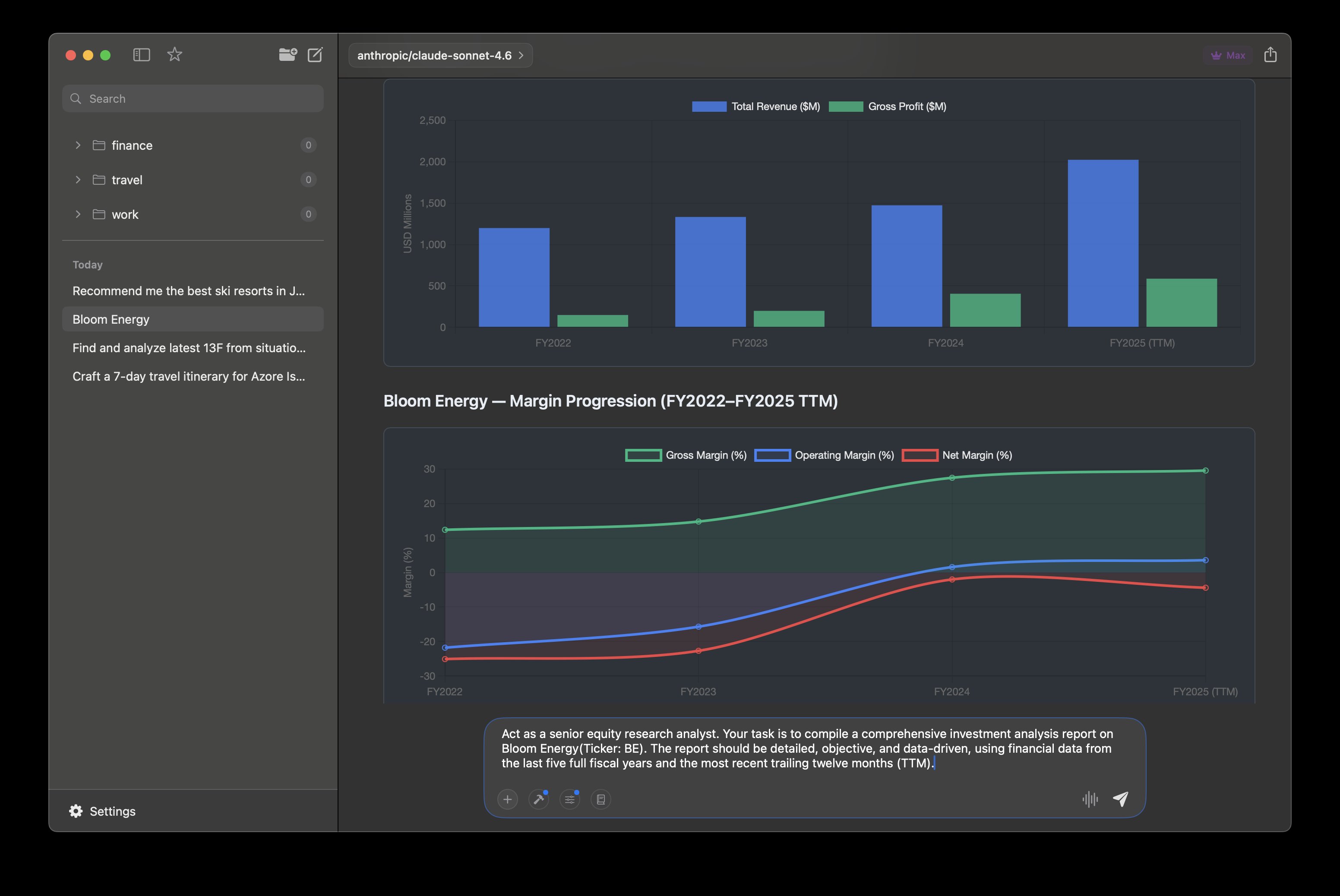
Rich Content
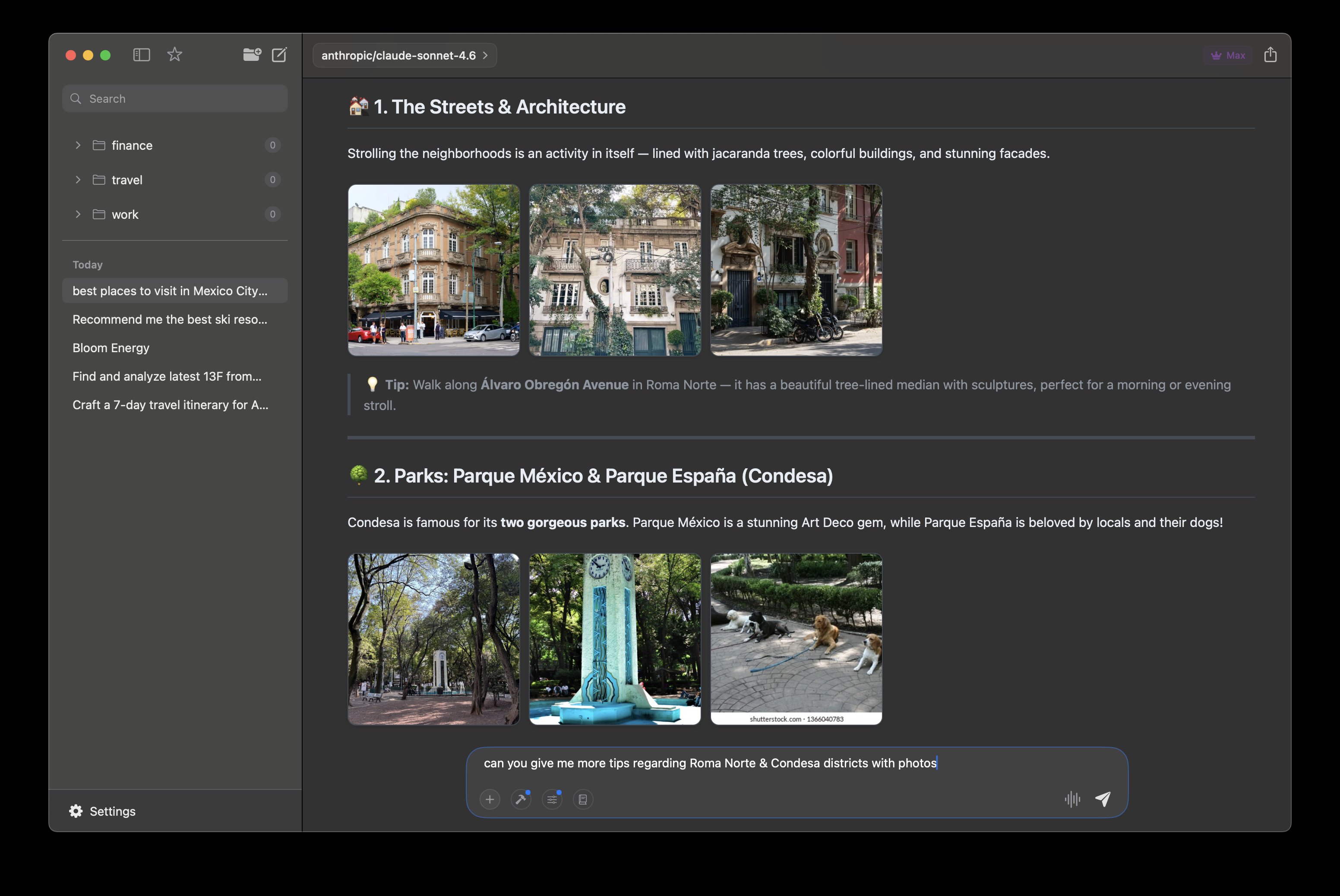
Itineraries with inline photos and formatted details
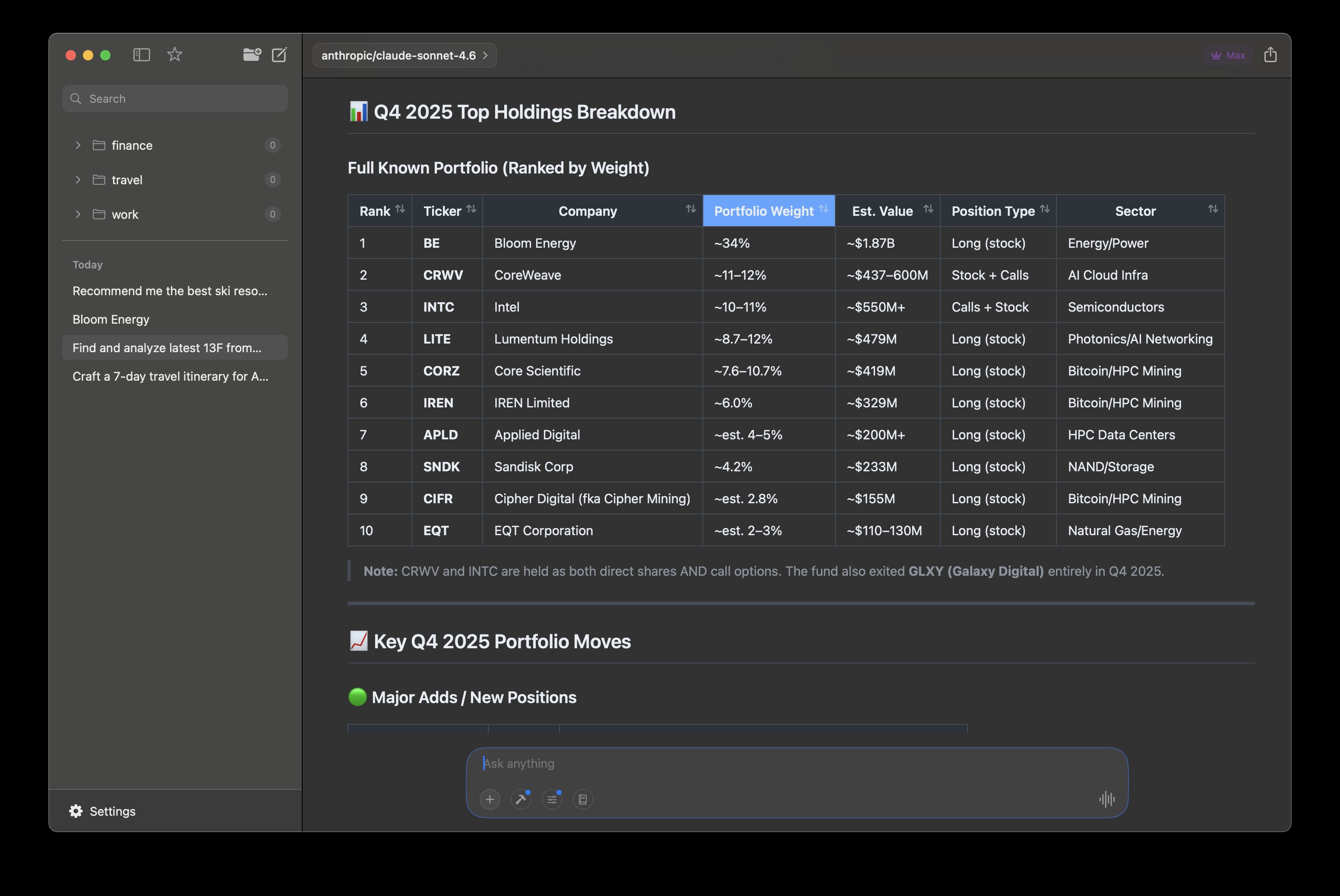
Sortable Tables
Structured data you can sort and explore inline
Built-in Tools
Web search, image search, MCP servers, and charts
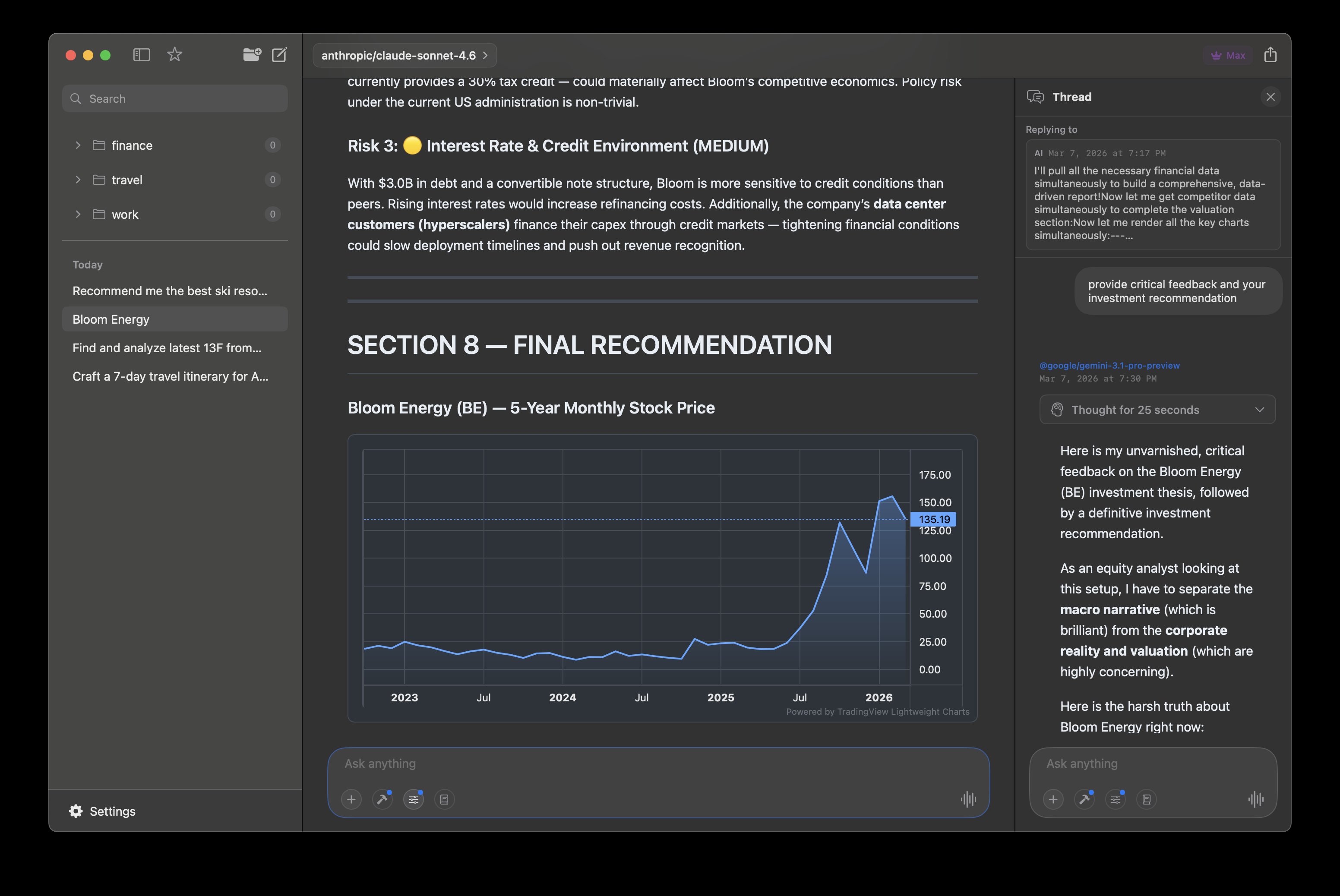
Interactive Charts
Chart.js and TradingView charts rendered in conversations
Threaded Conversations
Branch into side threads without losing context
Agentic Research
Multi-step tool calling that fetches and presents findings
Photo Galleries
Image grids fetched and arranged automatically
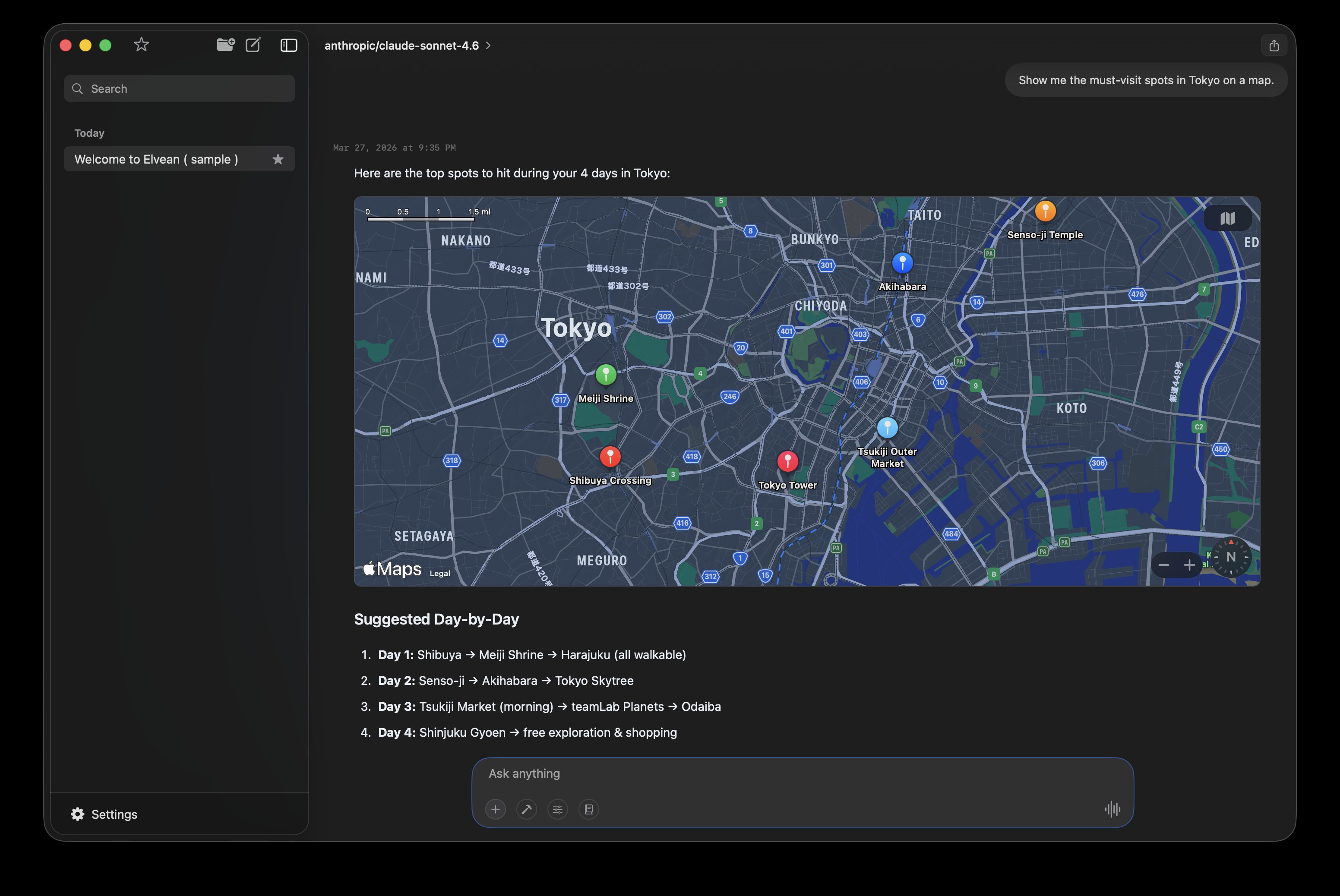
Apple Maps
Interactive maps embedded in conversations with pinned locations
Works with the models you already use
 Ollama
  Claude
  OpenAI
  Gemini
  Grok
Grok  DeepSeek
  Qwen
Qwen  Cerebras
  OpenRouter
 + Groq, LM Studio, MLX, and any OpenAI-compatible API
One-click connectors
Connect in Settings → MCP Connectors — see the Slack example
Features
More than chat
Organize work into Projects, each with a persistent knowledge base your AI reads and writes as you go. Run agents that search the web, read your calendar, and write code. Results as interactive charts, maps, tables, and documents — not just text. PDFs, Word files, and code land directly in your project folder.
Your knowledge base grows as you work
Projects give every conversation shared context. Add persistent system instructions, attach files, and build a knowledge base that your model can search, read, and write, all mid-conversation. Turn on auto-distill and key facts get extracted into your KB automatically. No scripts, no terminal, no RAG pipeline.
- Projects with persistent system instructions and color coding
- Filesystem-based Knowledge Base: add files, create and edit pages
- Models search, read, and write KB pages during conversation
- Auto-distill: key facts extracted into KB after each response
Every model, one app
Stop switching between ChatGPT, Claude, and a dozen browser tabs. Elvean connects to every major AI provider and your local models in one native interface. Bring your own API keys, pay providers directly, no markup.
- Ollama, LM Studio, MLX, Claude, OpenAI, Gemini, Grok, Cerebras, DeepSeek
- 300+ models via OpenRouter, including any OpenAI-compatible API
- Switch models mid-conversation with @mentions
- API keys stored in macOS Keychain, never on our servers
Responses that come alive
AI responses shouldn't be walls of text. Elvean renders charts you can interact with, tables you can sort, maps you can explore, and image galleries you can browse - all inline, right in the conversation.
- Interactive Chart.js charts and Mermaid diagrams
- Sortable, filterable tables with structured data
- Embedded Apple Maps with pinned locations
- Photo galleries fetched and arranged automatically
- Real-time weather forecasts via Apple WeatherKit
Put AI to work on multi-step tasks
Move beyond one-off prompts. Elvean's agent mode handles work that needs planning, iteration, and follow-through in a single flow.
- Action-oriented workflows that plan the next step, not just answer
- Built-in tools: web search, Apple Calendar, Apple Notes, weather, screenshot to AI
- MCP servers for files, databases, and any external API
- Multi-step execution with live progress and inline results
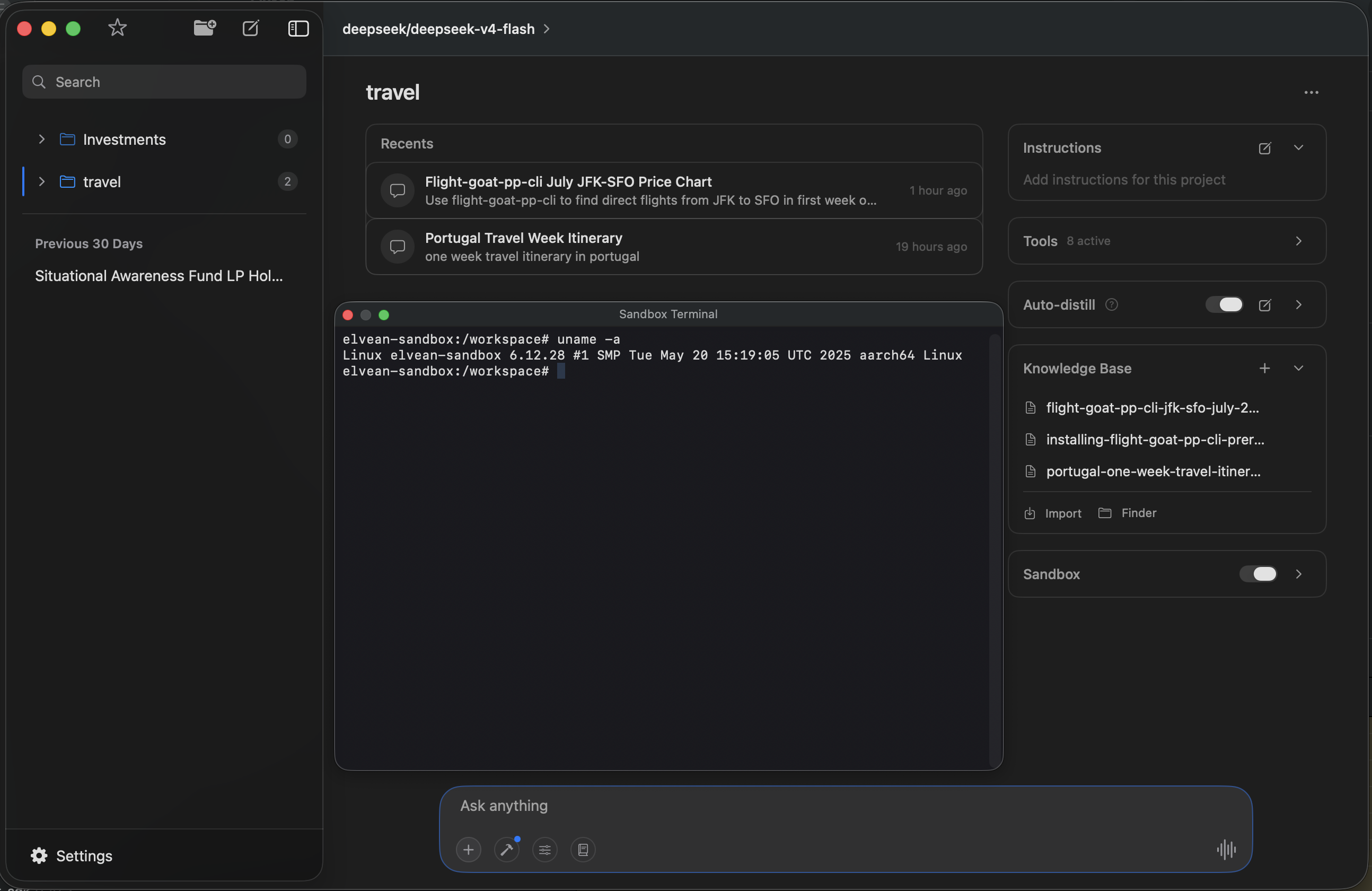
Give your AI a real environment
Your model doesn't just talk about code - it runs it. Each project can spin up a sandboxed Linux container with a full terminal. AI executes commands inside the sandbox and produces artifacts you can access from your project folder. Open the built-in terminal to interact with it directly.
- Isolated Linux container per project
- AI runs commands, installs packages, writes files
- Artifacts accessible from your project folder
- Built-in terminal panel (Cmd+Shift+T)
Conversations that stay organized
Long conversations get messy. Elvean brings Slack-style threads to AI - branch off into a side discussion without losing your main context. Fork any message to explore a different direction. Your thinking stays structured.
- Threaded conversations - branch without losing context
- Fork any message to explore alternate directions
- Folders, favorites, and full-text search across all conversations
- Cmd+F find within any conversation
Built for your Mac, not ported to it
Elvean is a native SwiftUI app - not an Electron wrapper, not a web view in a frame. It launches instantly, uses minimal memory, and respects every macOS convention you expect. Keyboard shortcuts, dark mode, and a system-wide prompt panel that works from any app.
- Native SwiftUI - built for Apple Silicon
- System-wide prompt panel: select text anywhere, hit a hotkey, get AI
- Prompt library with variable placeholders and Cmd+/ access
- Per-conversation settings: temperature, tokens, system prompts
Private by default. Not by afterthought.
Your conversations never touch our servers. Local models through Ollama, LM Studio, or MLX run fully offline - no internet, no data leaves your machine. When you use cloud providers, data goes directly to them. API keys live in your macOS Keychain. Anonymous usage stats are optional. No account required.
Pricing
Free to start, Pro when you're ready
No account required. Download and start chatting immediately.
Free
forever
- ✓ 300+ cloud models (BYOK)
- ✓ Ollama, LM Studio & MLX local models
- ✓ Unlimited conversations
- ✓ Folders & organization
- ✓ System-wide prompt panel
- ✓ Fork any message
- ✓ Prompt library
Pro
or $49.99/year (save 17%) · 7-day free trial on monthly and annual
- ✓ Everything in Free, plus:
- ✓ Projects with Knowledge Base & auto-distill
- ✓ Web, image & video search
- ✓ Interactive charts, diagrams & maps
- ✓ Screenshot to AI
- ✓ Apple Calendar & Weather tools
- ✓ Threads & @mention model switching
- ✓ Markdown editing of responses
- ✓ Skills registry
- ✓ Unlimited MCP servers
- ✓ Export (Markdown, HTML, PDF)
- ✓ Priority support
Lifetime
Pay once. Pro forever.
No subscription. No renewals.
- ✓ Everything in Pro
- ✓ One payment, yours to keep
- ✓ Same as 3 years of Annual
What's New
Latest updates
Version 1.2.52
Choose your dictation engine and language, Apple's newest on-device speech recognition on macOS 26, and stability fixes for the Claude provider.
Version 1.2.51
Apple place cards on maps, Web Search and Tools in their own Settings panes, and full model names in the model picker.
Version 1.2.50
Exa and Parallel web search, Scheduled Tasks in the sidebar footer, and responses that keep their model label.
Blog
Tutorials & workflows
Deep research on your Mac: how web search works in Elvean
How deep research works in Elvean: the model calls web search as a tool, loops until it has enough, and reads full pages before answering. Which search provider to pick — DuckDuckGo, Brave, Google, Serper, Exa, Parallel, Jina or OpenRouter — and how to set it up.
Getting Agentic Harnesses Out of the Terminal
Why we built Elvean's sandbox as an isolated Alpine Linux VM using Apple's Virtualization framework, so agentic AI can run real commands without living in a terminal.
Porting Claude Agent Skills to Any LLM Agent
How we ran Claude-style Skills across every model Elvean supports — Claude, Gemini, GPT, Grok, and local models — by leaning on our existing tool-use infrastructure instead of building a new subsystem.
FAQ
Common questions
Do I need an account to use Elvean?
Nope. Download, open, start chatting. No sign-up, no email, no account. If you use cloud models like Claude or GPT, you'll need your own API key - but that's between you and the provider.
Can I use it completely offline?
Yes. Connect Ollama, LM Studio, or MLX and everything runs locally on your Mac. No internet needed, no data leaves your machine. If you also use cloud models, those obviously need a connection - but local stays local.
What does "bring your own key" mean?
You use your own API keys from OpenAI, Anthropic, Google, etc. You pay the providers directly at their rates - no markup, no middleman. Your keys are stored in macOS Keychain, not on our servers.
How do I get an API key?
You don't need one to start - Elvean ships with a built-in demo key, so you can open the app and start chatting right away. When you want unlimited use and access to every model, add your own key. The easiest route is OpenRouter: one key unlocks 300+ models. Our step-by-step guide walks you through it in about 2 minutes.
How is this different from ChatGPT or Claude Desktop?
Those apps lock you into one provider. Elvean lets you use every model in one place - switch mid-conversation with @mentions, fork threads, render charts and maps, edit responses in markdown. It's a workspace, not a prompt box.
Is my data private?
No conversation history on our servers. Anonymous usage stats and crash reports can be turned off during setup or anytime in Settings. Local models are fully offline. API keys live in your Keychain. Your conversations stay on your Mac.
What's the difference between Free and Pro?
Free gives you unlimited conversations with any model - local or cloud. Pro unlocks power features: web search, charts, diagrams, threads, markdown editing, MCP servers, and exports. Both monthly and annual plans include a 7-day free trial so you can try everything first. Prefer to pay once? Lifetime is $149: Pro forever, no subscription, no renewals.
Which Macs does it run on?
Any Mac with Apple Silicon (M1 or newer) running macOS 15 or later. Intel Macs aren't supported.
Get Started
Ready to try Elvean?
Download, open, start working. No account required.