The Ollama GUI built for Mac
Stop chatting with AI in the terminal. Elvean gives your Ollama models a native Mac interface — with interactive charts, threaded conversations, and cloud models when you need them.
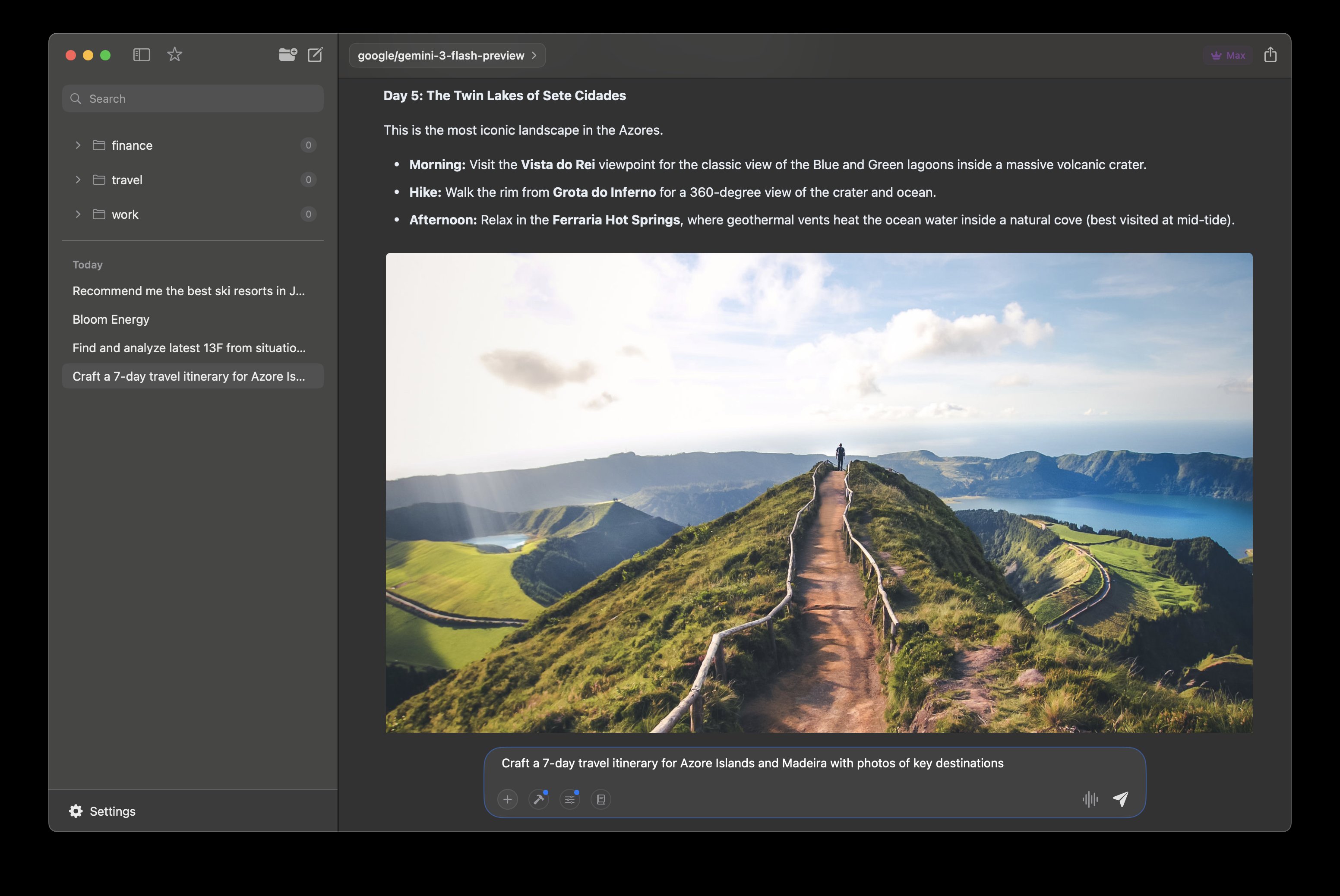
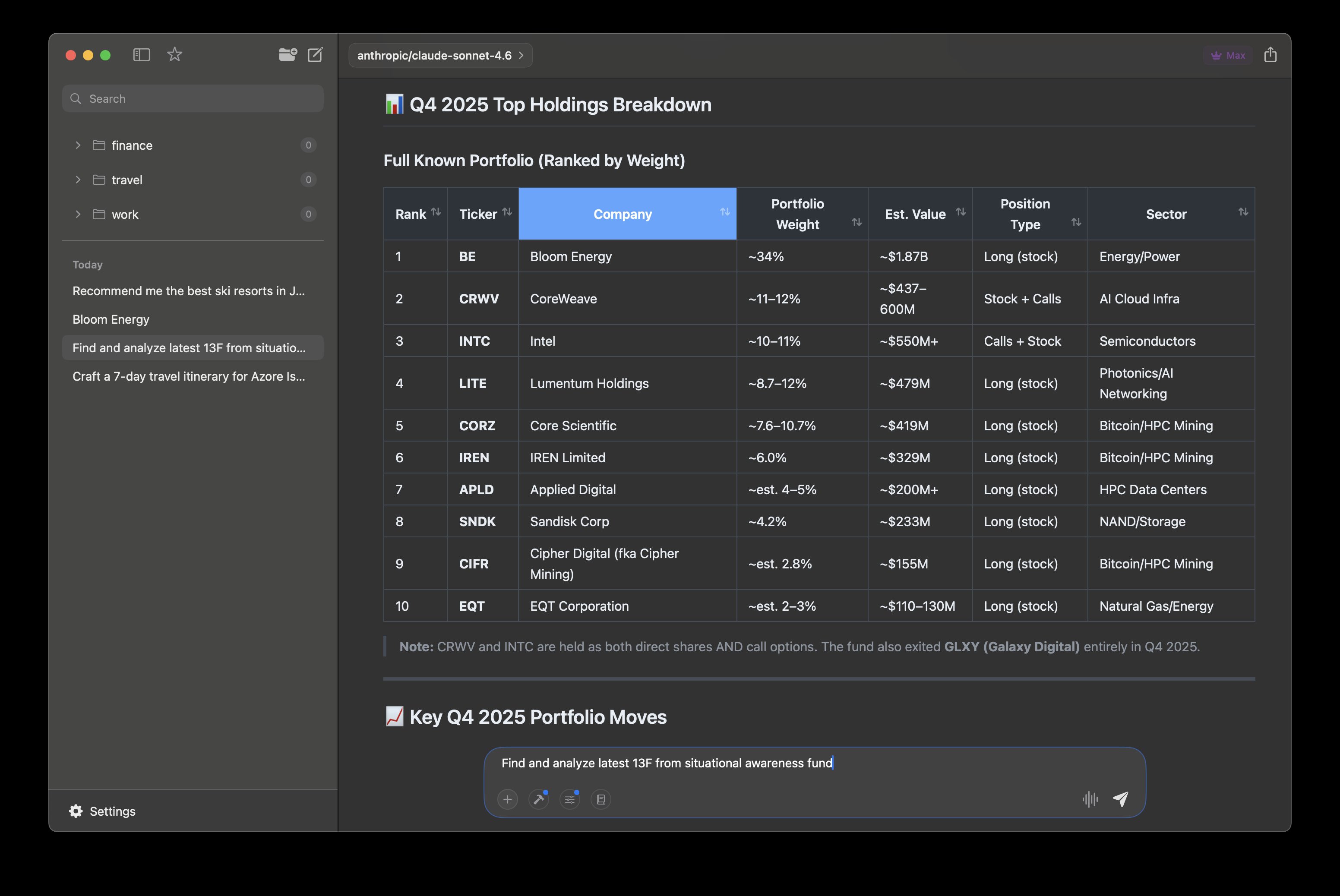
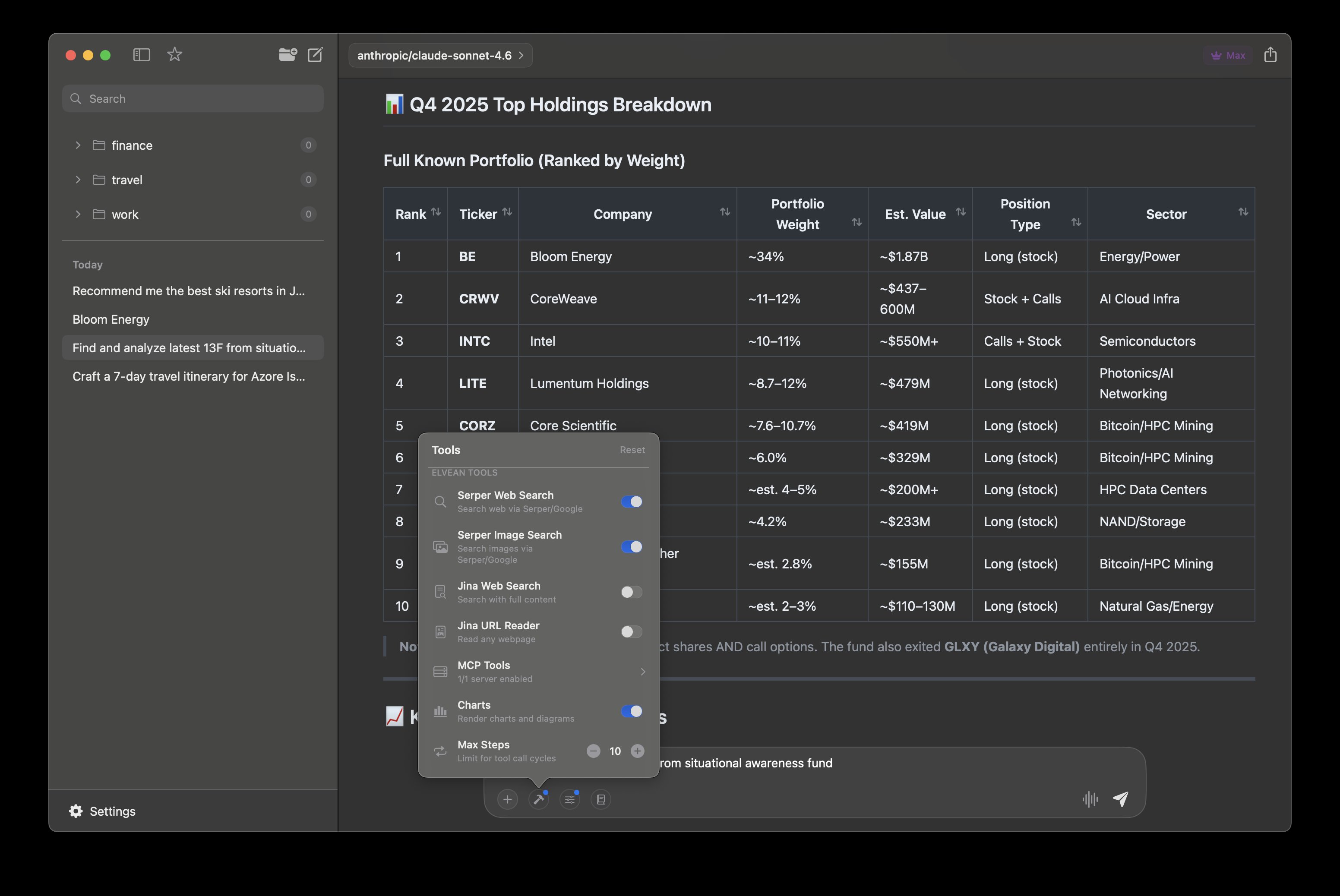
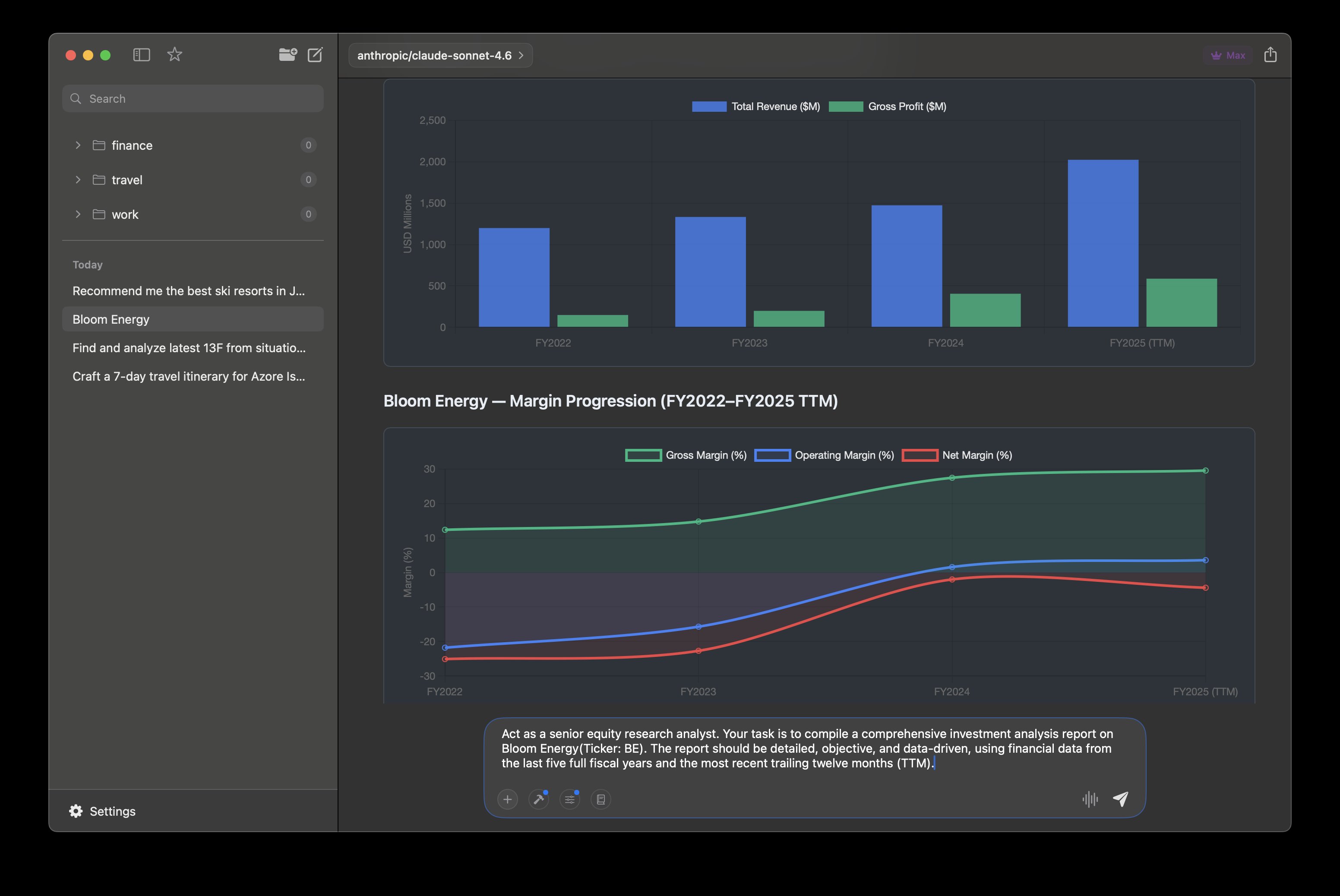
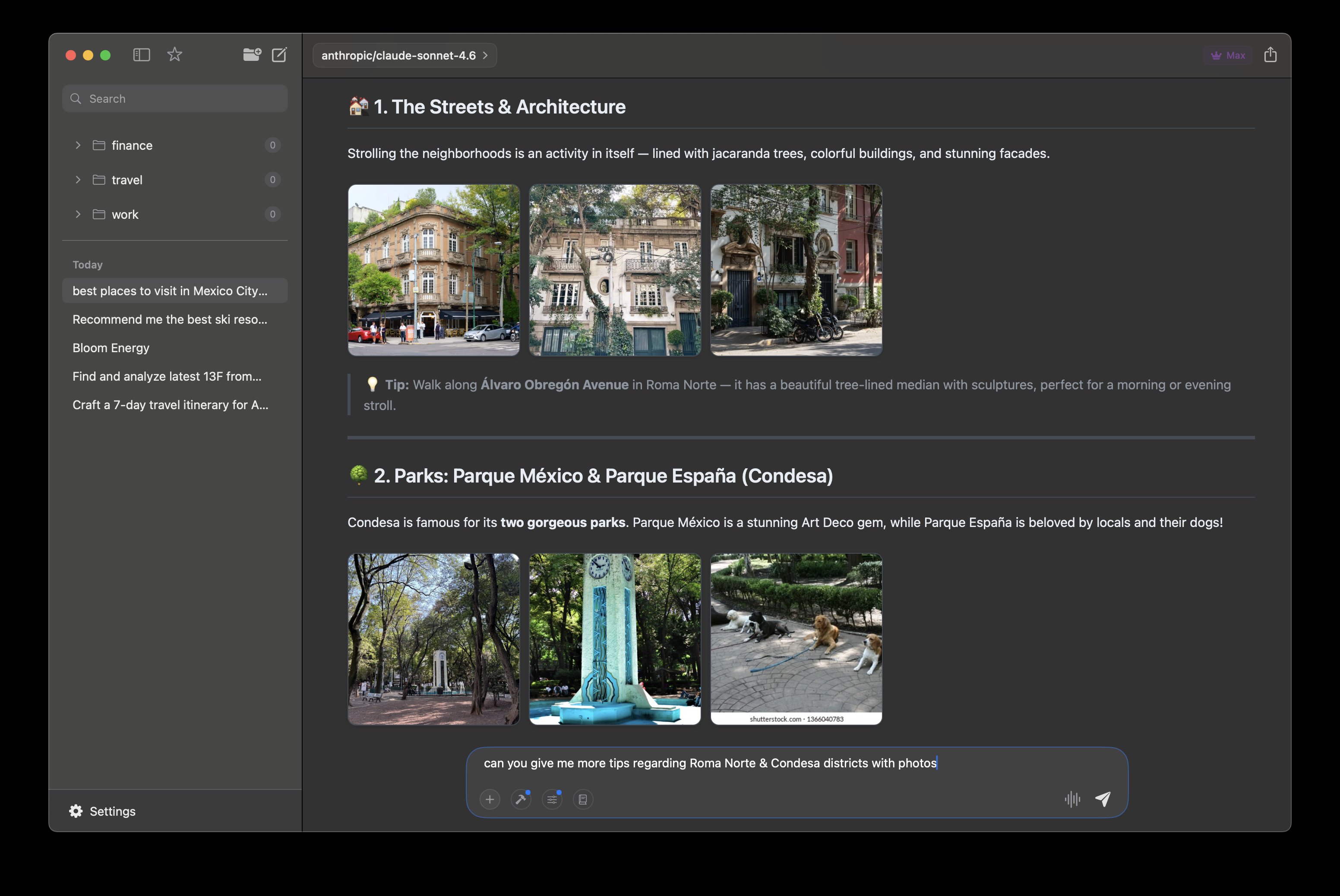
Rich Content
Itineraries with inline photos and formatted details
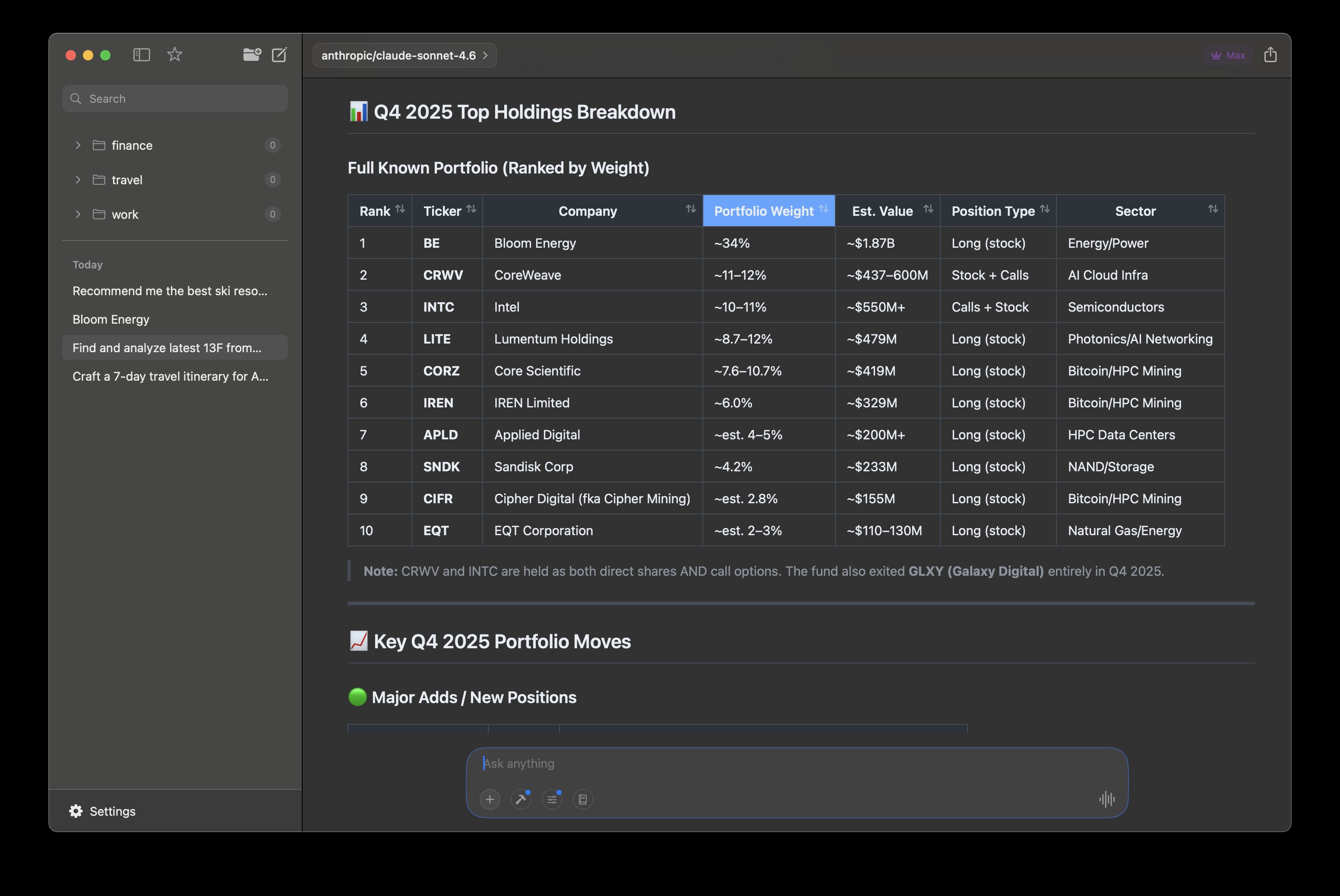
Sortable Tables
Structured data you can sort and explore inline
Built-in Tools
Web search, image search, MCP servers, and charts
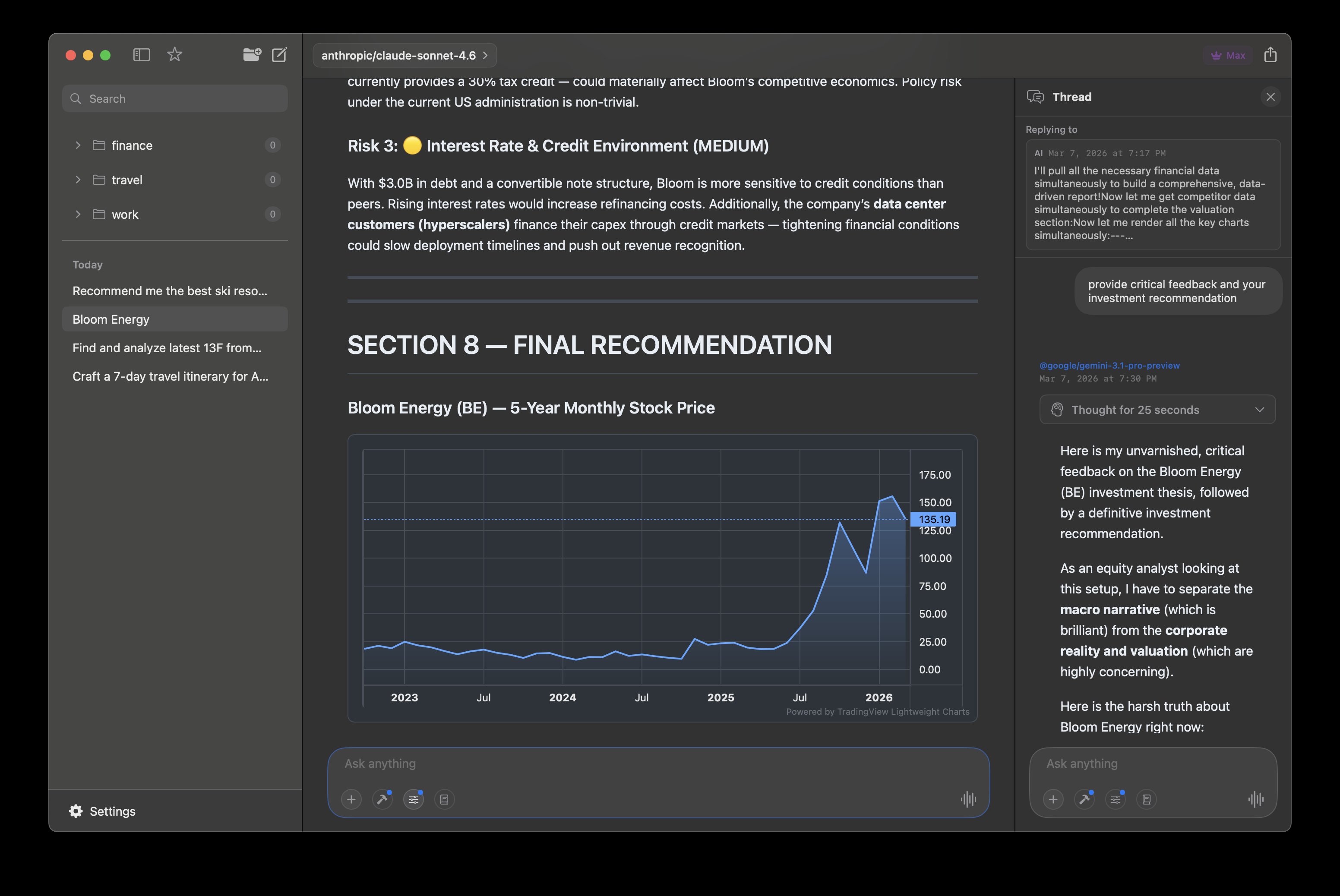
Interactive Charts
Chart.js and TradingView charts rendered in conversations
Threaded Conversations
Branch into side threads without losing context
Agentic Research
Multi-step tool calling that fetches and presents findings
Photo Galleries
Image grids fetched and arranged automatically
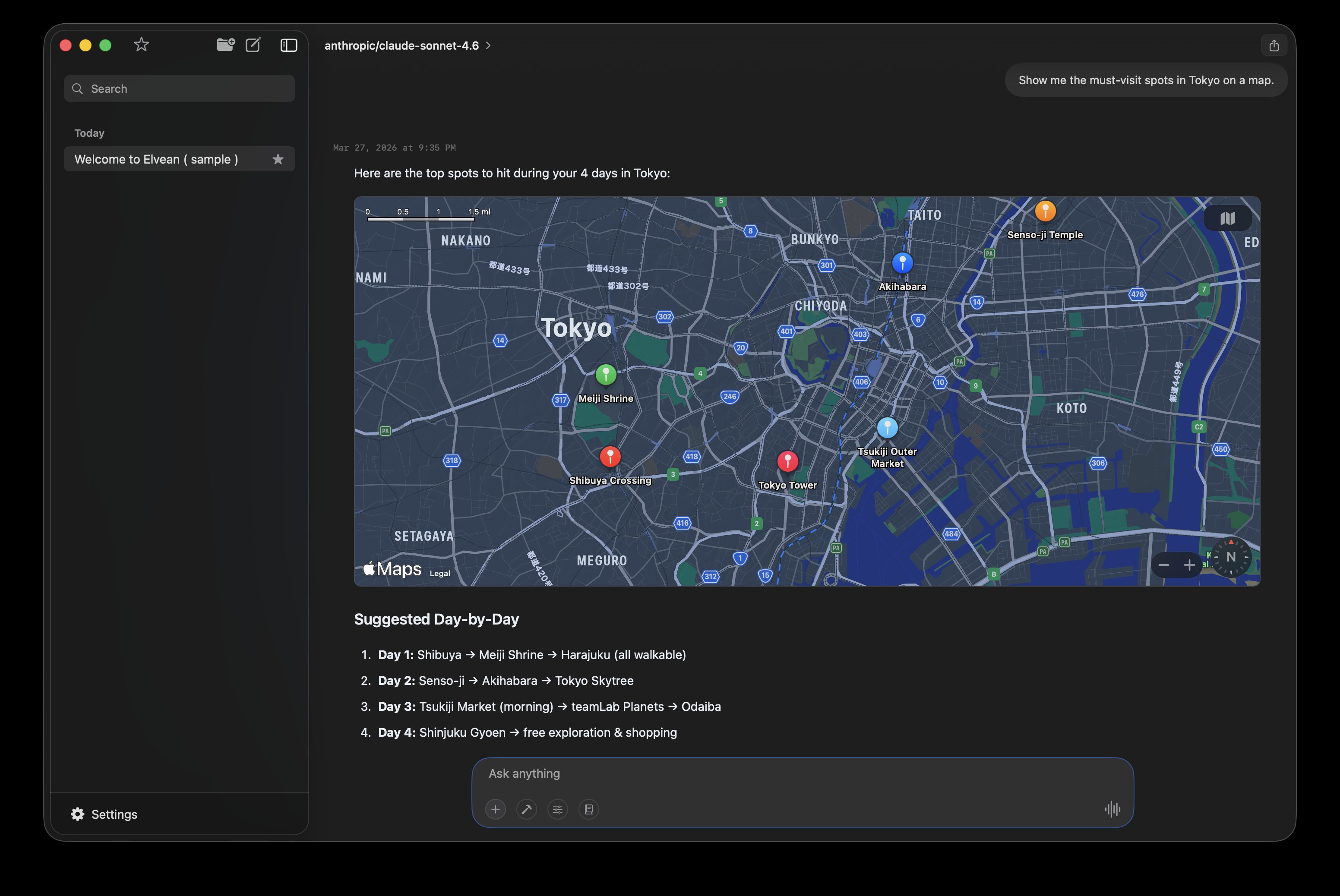
Apple Maps
Interactive maps embedded in conversations with pinned locations
Works with the models you already use
 Ollama
  Claude
  OpenAI
  Gemini
  Grok
Grok  DeepSeek
  Qwen
Qwen  Cerebras
  OpenRouter
 + Groq, LM Studio, MLX, and any OpenAI-compatible API
Features
More than a chat UI for Ollama
Elvean is a full AI workspace that happens to be the best Ollama GUI on Mac. Local models, cloud models, and tools that go far beyond basic chat.
Your Ollama models, beautifully presented
Elvean auto-detects Ollama running on your Mac and lists all your local models. Chat with Llama, Mistral, Gemma, or any model through a native interface. When you need cloud models, add your API keys for Claude, ChatGPT, Gemini, and 300+ more.
- Auto-detects Ollama — no configuration needed
- Also supports LM Studio, MLX, and any OpenAI-compatible API
- Switch between local and cloud models with @mentions
- 300+ cloud models available via OpenRouter
Responses that come alive
Most Ollama GUIs give you plain text. Elvean renders charts you can interact with, tables you can sort, maps you can explore, and image galleries you can browse — all inline, even with local models.
- Interactive Chart.js charts and Mermaid diagrams
- Sortable, filterable tables with structured data
- Embedded Apple Maps with pinned locations
- Photo galleries fetched and arranged automatically
- Real-time weather forecasts via Apple WeatherKit
AI that takes action
Go beyond question and answer. Elvean's agentic tools let models search the web, chain multiple steps together, and connect to external services through MCP. Ask a question, and watch it research, analyze, and present findings.
- Multi-step agentic tool calling with live progress
- Web search with inline citations and source links
- MCP server connections for files, databases, and APIs
- Image and video search built in
Conversations that stay organized
Long conversations get messy. Elvean brings Slack-style threads to AI — branch off into a side discussion without losing your main context. Fork any message to explore a different direction. Your thinking stays structured.
- Threaded conversations — branch without losing context
- Fork any message to explore alternate directions
- Folders, favorites, and full-text search across all chats
- Cmd+F find within any conversation
Native SwiftUI, optimized for Apple Silicon
Elvean is a native SwiftUI app — not a web UI running in a browser. It's optimized for Apple Silicon, launches instantly, and uses minimal memory. Your Ollama models run on Metal while Elvean gives you the best possible chat experience on top.
- Native SwiftUI — optimized for Apple Silicon and Intel
- System-wide prompt panel: select text anywhere, hit a hotkey, get AI
- Prompt library with variable placeholders and Cmd+/ access
- Per-conversation settings: temperature, tokens, system prompts
Local-first. Private by default.
Your Ollama models run entirely on your Mac — no internet, no data leaves your machine. Elvean adds zero telemetry on top. When you use cloud providers, data goes directly to them. API keys live in your macOS Keychain. No tracking. No account required.
And there's more
Pricing
Free to start, Pro when you're ready
No account required. Download and start chatting immediately.
Free
forever
- ✓ 300+ cloud models (BYOK)
- ✓ Ollama, LM Studio & MLX local models
- ✓ Unlimited conversations
- ✓ Folders & organization
- ✓ System-wide prompt panel
- ✓ Fork any message
- ✓ Prompt library
Pro
or $49.99/year (save 40%) · 7-day free trial on all plans
- ✓ Everything in Free, plus:
- ✓ Web, image & video search
- ✓ Interactive charts & diagrams
- ✓ Threads & @mention model switching
- ✓ Markdown editing of responses
- ✓ Unlimited MCP servers
- ✓ Export (Markdown, HTML, PDF)
- ✓ Priority support
What's New
Latest updates
Version 1.2.11
WeatherKit integration, CSV export, expandable charts and maps, and performance improvements.
Version 1.2.5
Improved onboarding flow and UI layout fixes.
Version 1.2.3 (Public Beta)
Native maps integration, videos and photos web search, interactive charts and tables.
FAQ
Common questions
What is the best Ollama GUI for Mac?
Elvean is a native SwiftUI app that auto-detects Ollama and gives you a polished chat interface for all your local models. Unlike web-based Ollama UIs, it's a real Mac app — fast, private, and feature-rich with charts, threads, and cloud model support.
How do I set up Ollama with Elvean?
Just install Ollama and run it. Elvean auto-detects Ollama on your Mac — no configuration, no API keys needed for local models. Your models appear automatically in the model picker.
Can I use Ollama and cloud models together?
Yes. Switch between local Ollama models and cloud models like Claude or GPT-4o mid-conversation with @mentions. Use local for privacy, cloud for capability — in the same chat.
Is my data private with Ollama?
Completely. When using Ollama models, everything runs locally on your Mac. No internet connection needed, no data leaves your machine. Elvean collects nothing — no telemetry, no analytics.
Does Elvean work with LM Studio and MLX too?
Yes. Elvean connects to Ollama, LM Studio, MLX, and any OpenAI-compatible local inference server. Use whichever local runtime you prefer alongside cloud providers.
Get Started
Ready to upgrade your Ollama experience?
Download, open, chat. No account required.